Home · Oil and Gas Software · Survey Management Software

NWE WellReport™ · Surveys

Survey management software built on one accepted record.

Every number in directional drilling descends from the surveys. NWE WellReport's Survey Editor keeps them in one accepted, versioned ledger: you enter measured depth, inclination, and azimuth — the sheet computes the full solution — and steering, reporting, and every downstream calculation read the same stations. No exports. No second copy. No arguments about which file is right.

The survey problem

The well's most important numbers live in the most scattered files.

Surveys arrive as text files, spreadsheets, and PDFs, get re-saved under new names, and quietly fork into versions nobody can reconcile.

Ask three people on a job for the definitive survey and you can get three files. The steering decision made at 2 AM used one of them; the morning report quoted another; the end-of-well package will be built from a third. The wellbore position — the thing the whole job is paid to control — deserves better custody than that.

Survey management software exists to end the fork. One ledger accepts each station once, checks it as it lands, and serves every consumer of the data — the directional driller steering, the office reporting, and the platforms downstream.

The Survey Editor

Type three numbers. Get the whole solution.

The machine does the math; the directional driller keeps the last word.Enter MD, INC, and AZI and the Survey Editor computes course length, TVD, north/south and east/west, vertical section, dogleg severity, above/below and left/right of plan, Slide Seen and Slide Ahead, motor yield, plan inclination and azimuth, toolface orientation, build and turn rates, and distance from plan — the full minimum-curvature solution, on the sheet, as the station lands.

01 / THE EDITOR

The full solution, on one sheet.

The Survey Editor is the working surface: stations down the sheet, the complete calculated picture beside each one, and a Calculations picker that governs which calculated columns show — shared with the Surveys/Time Breakdown Sheet, so the two views never disagree about what a column means. A 0-VS quick calculator sits on the same page for lateral position checks against the geologist's hold inclination.

  • MD / INC / AZI entry, full solution
  • Slide Seen and Slide Ahead on the sheet
  • Shared Calculations column picker
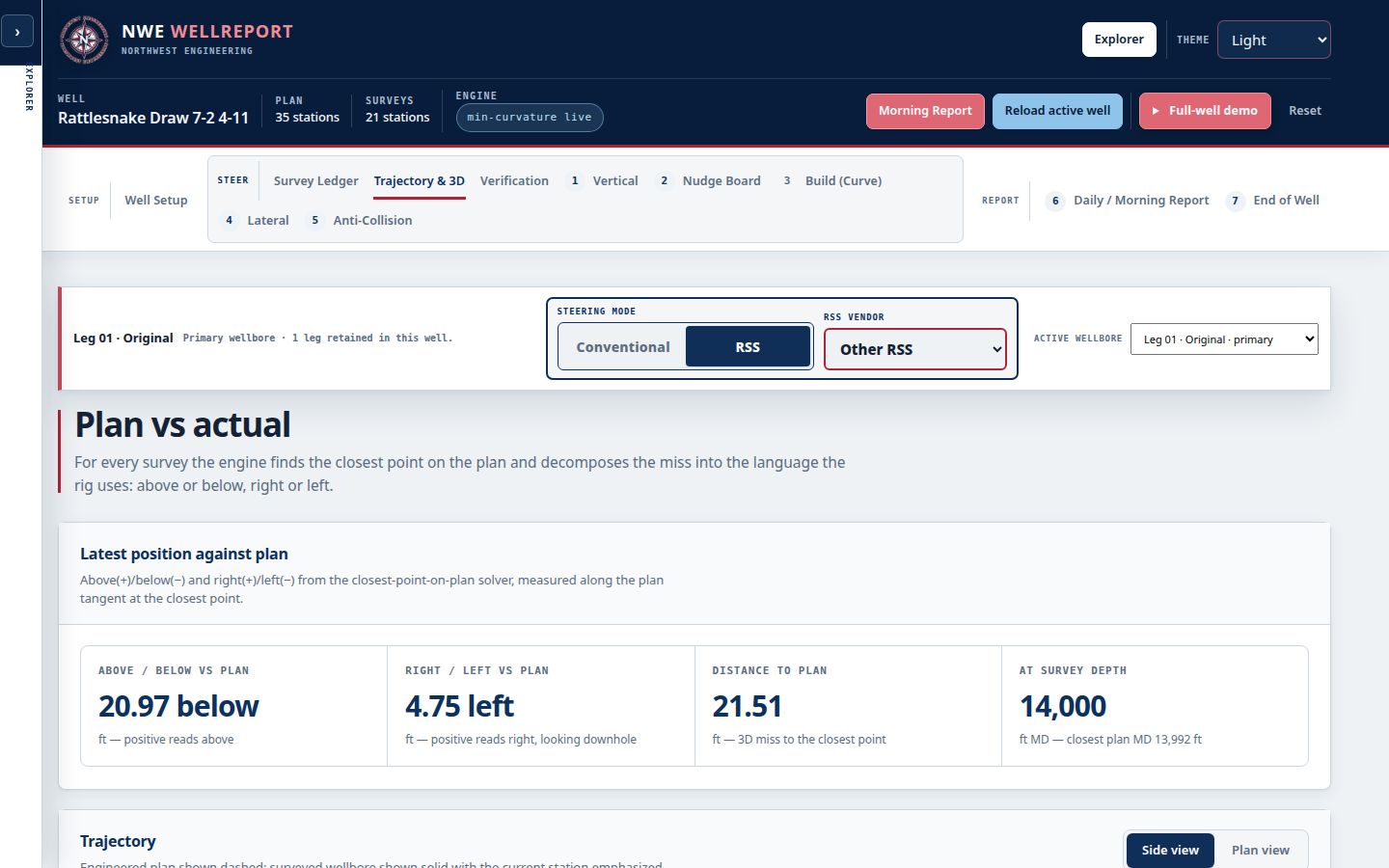
Live NWE WellReport Directional Drilling workspace with the survey record at its center
02 / QC + IMPORT

Checked as accepted, imported with review.

Every survey is checked against QC rules as it is accepted, so projection discrepancies, high dogleg severity, and out-of-tolerance stations are flagged before they steer the well wrong. Surveys also arrive by import — exports from any system you run, including WITS file imports — and every imported station passes through accept/reject review in the Survey Editor before it joins the ledger. Nothing enters silently.

  • QC flags at acceptance
  • WITS file import with accept/reject
  • Imports from any system's exports
Live NWE WellReport workspace showing the well record the surveys feed

The survey workflow

Enter. Check. Steer. Report.

01

Enter or import.

Type MD, INC, AZI at the rig, or import the survey file — WITS imports included — for review.

02

Accept with QC.

The station is solved and QC-checked as it is accepted; flags surface before the data is used.

03

Steer from the ledger.

Steering boards, projections, and distance from plan read the accepted stations directly.

04

Report from the ledger.

The morning report, survey exports, and the end-of-well as-builts all read the same record.

Deliverables

One ledger. Every consumer.

Accept once. Use everywhere.

The accepted survey record feeds steering, the plan-vs-actual picture, anti-collision decision support, geosteering data supply, and every report — one chain of custody for the well's most important numbers.

  • Full minimum-curvature solution
  • QC flags at acceptance
  • Slide Seen / Slide Ahead
  • Motor yield and toolface
  • Distance from plan
  • WITS import with accept/reject
  • Survey exports (txt / Excel / PDF)
  • Versioned definitive surveys
One ledger · every calculation

Where it stands

In founding field testing now.

Working directional drillers are testing it today.The Survey Editor and the ledger are the core of the founding field test — the module every tester runs first. Founding tester seats are open until October 25, and the survey math is verified against the tester's current software before it is relied on — their system stays the system of record until NWE WellReport has proven itself on their well.

Honest about the feed.Today, surveys are entered at the rig or imported from file exports, including WITS files with accept/reject review. Live ingestion with versioned, audited surveys — from EDR and WITSML feeds — is the production direction, specified and being built with the production backend. We will not claim a live feed until one is proven on a real well.

Common questions

Questions, answered straight.

What is survey management software?

Survey management software is the system of record for a well's directional surveys: it accepts each station, computes the wellbore position from it, checks it for quality, and supplies it to steering, reporting, and analysis. In NWE WellReport, that record is the Survey Editor's accepted ledger — one versioned home for the well's surveys that every other module reads.

What do I enter, and what does it calculate?

You enter only measured depth, inclination, and azimuth. The sheet computes the full minimum-curvature solution: course length, TVD, north/south and east/west coordinates, vertical section, dogleg severity, above/below and left/right relative to plan, Slide Seen and Slide Ahead, motor yield, plan inclination and azimuth, toolface orientation, build and turn rates, and distance from plan.

How are surveys quality-checked?

Every station is checked against QC rules as it is accepted — projection discrepancies, high dogleg severity, and out-of-tolerance stations are flagged on the sheet before the survey steers anything. Imported stations get the same treatment: a WITS file import lands in review, and each station is accepted or rejected by the directional driller before it joins the ledger.

Can I import surveys from the system I run today?

Yes. Import your survey exports from any system you run — including WITS file imports with accept/reject review in the Survey Editor — and NWE WellReport becomes the single, versioned home for the well's surveys. Your current software stays your system of record until NWE WellReport has proven itself on your well.

Who else reads the survey record?

Everyone downstream: the steering boards and projections, plan-vs-actual and the morning report's 5 AM distance from plan, anti-collision calculations presented as decision support, the data supplied to geosteering platforms, and the as-built surveys in the end-of-well package. One accepted survey ledger feeds all of it — which is the entire point.

Founding pilots now open

Put it on real wells.

Bring your current workflow, your survey exports, and your field team. We verify the math against your current software before your team relies on it in the field, train your DDs, review what works, and make anything that does not work right.

$5,000First year · up to 5 wellsTalk to us about a pilotExplore the live platform