Plan
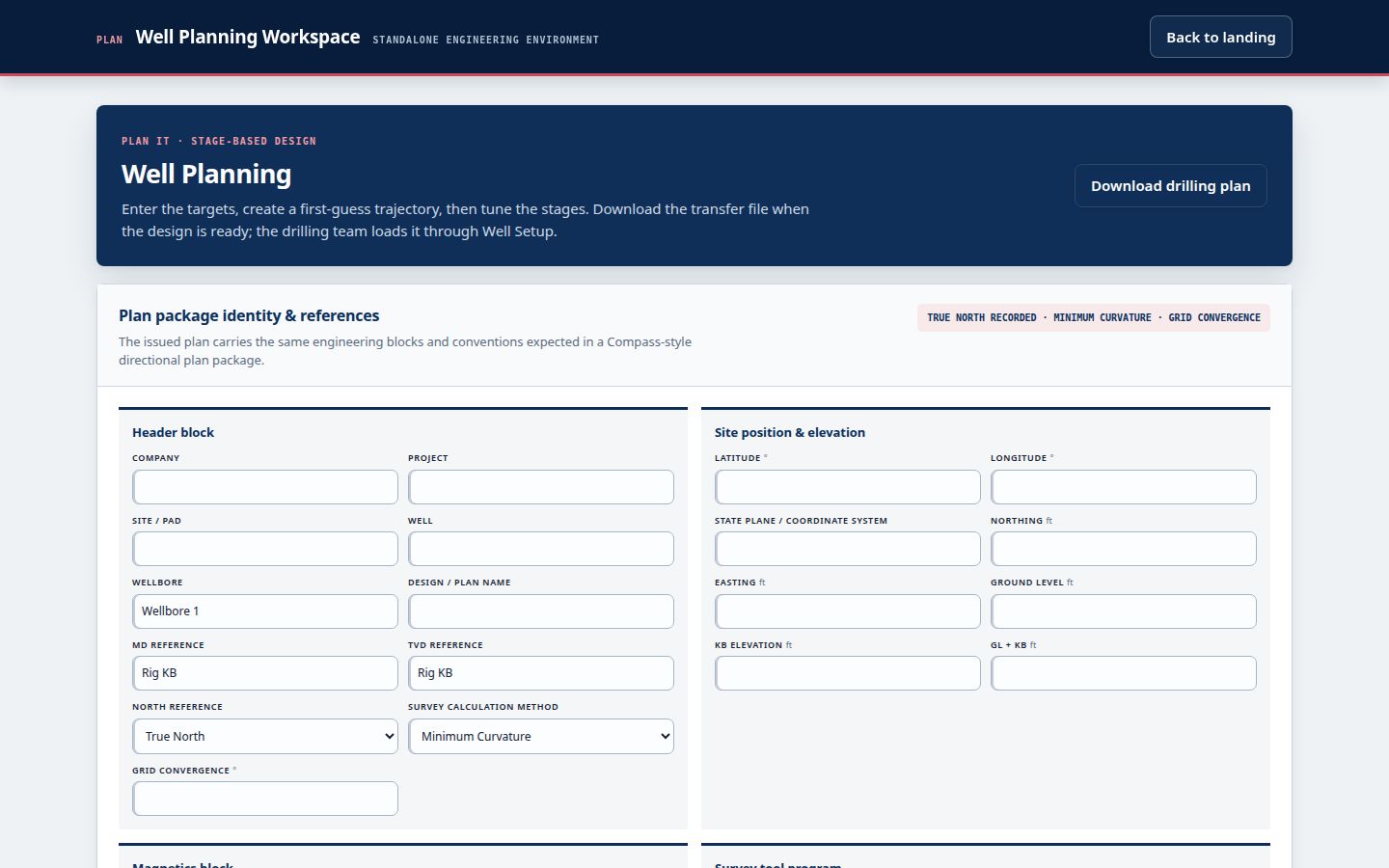
Build the stages, set the targets, issue the drilling plan, and establish the well definition every downstream module uses.
NWE WellReport™ · Northwest Engineering
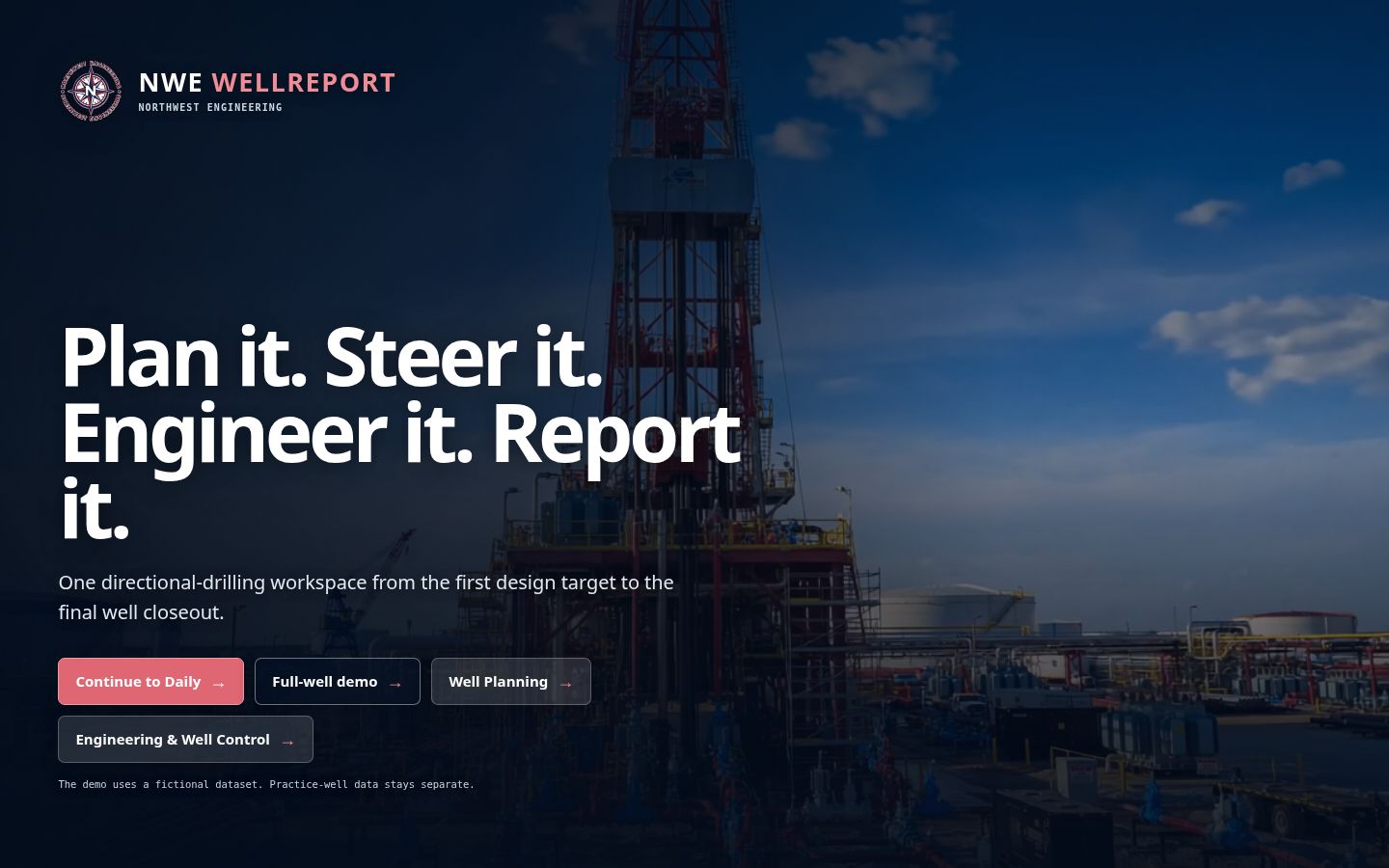
NWE WellReport is the directional drilling software that takes a well from planning through P&A in one place. Directional drilling, geosteering, survey QC, well control, completions, coil tubing, frac, production, and workover all work from one Master Well File. Nothing else brings the complete lifecycle together.
The well journey
Follow the well from the first plan to the as-built file — every module reads from the same survey ledger, one system for survey management across the whole well.
The daily billboard
A well worth millions should not run through disconnected spreadsheets and a Word template from 2003.
The industry norm is a patchwork: one tool for planning, another for drilling, separate calculators for engineering, then new files for every handoff. Every retype creates another chance for the plan, the surveys, the operation, and the daily drilling report to drift apart.
NWE WellReport replaces that patchwork with one platform and one well record that moves with the job.
One continuous journey
The complete lifecycle is live in one platform today. Every operation reads the same well context, adds its work, and hands a richer record forward.
Build the stages, set the targets, issue the drilling plan, and establish the well definition every downstream module uses.
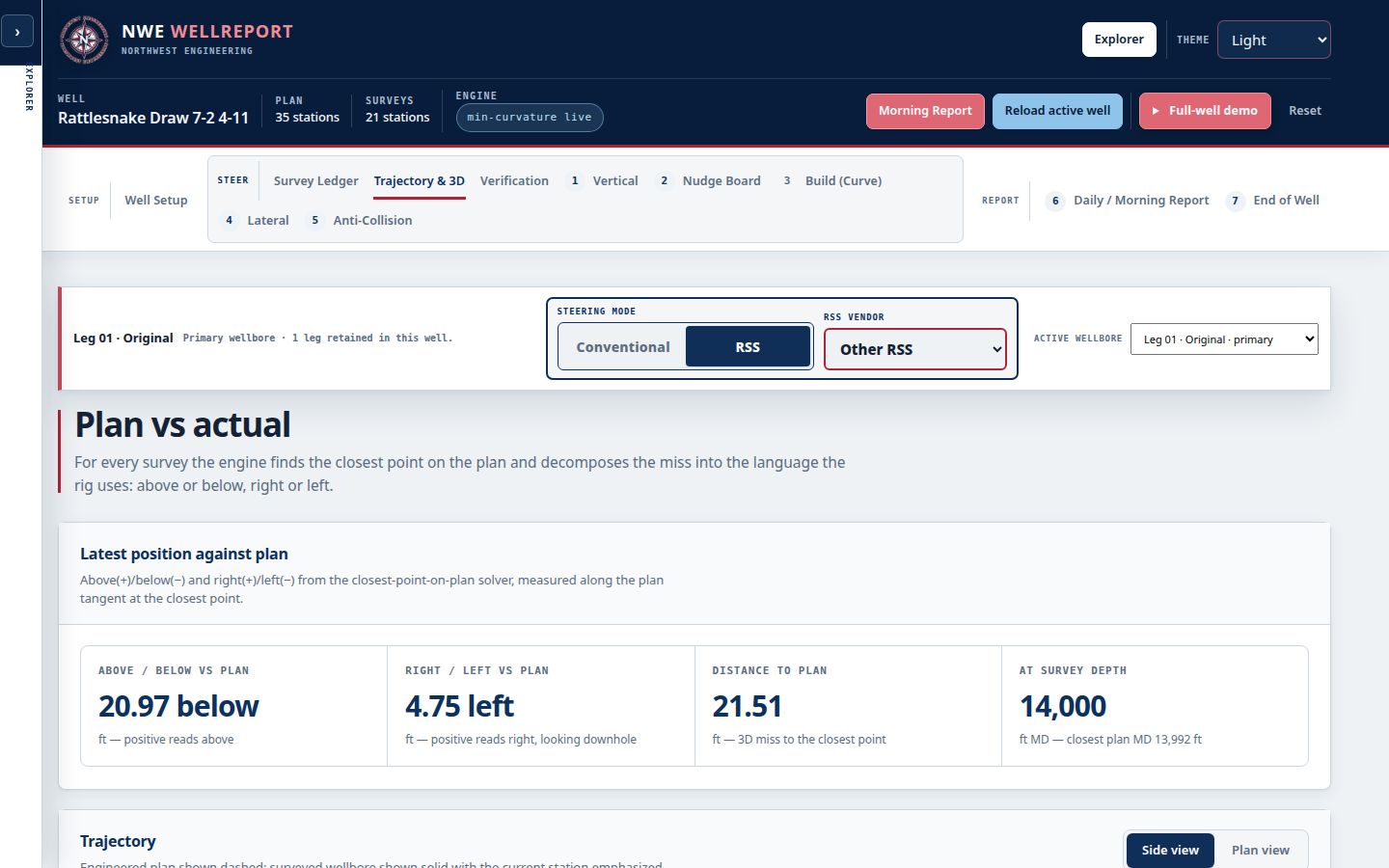
Run directional drilling, geosteering, survey QC, BHA performance, daily reporting, and the end-of-well package from one accepted survey ledger.
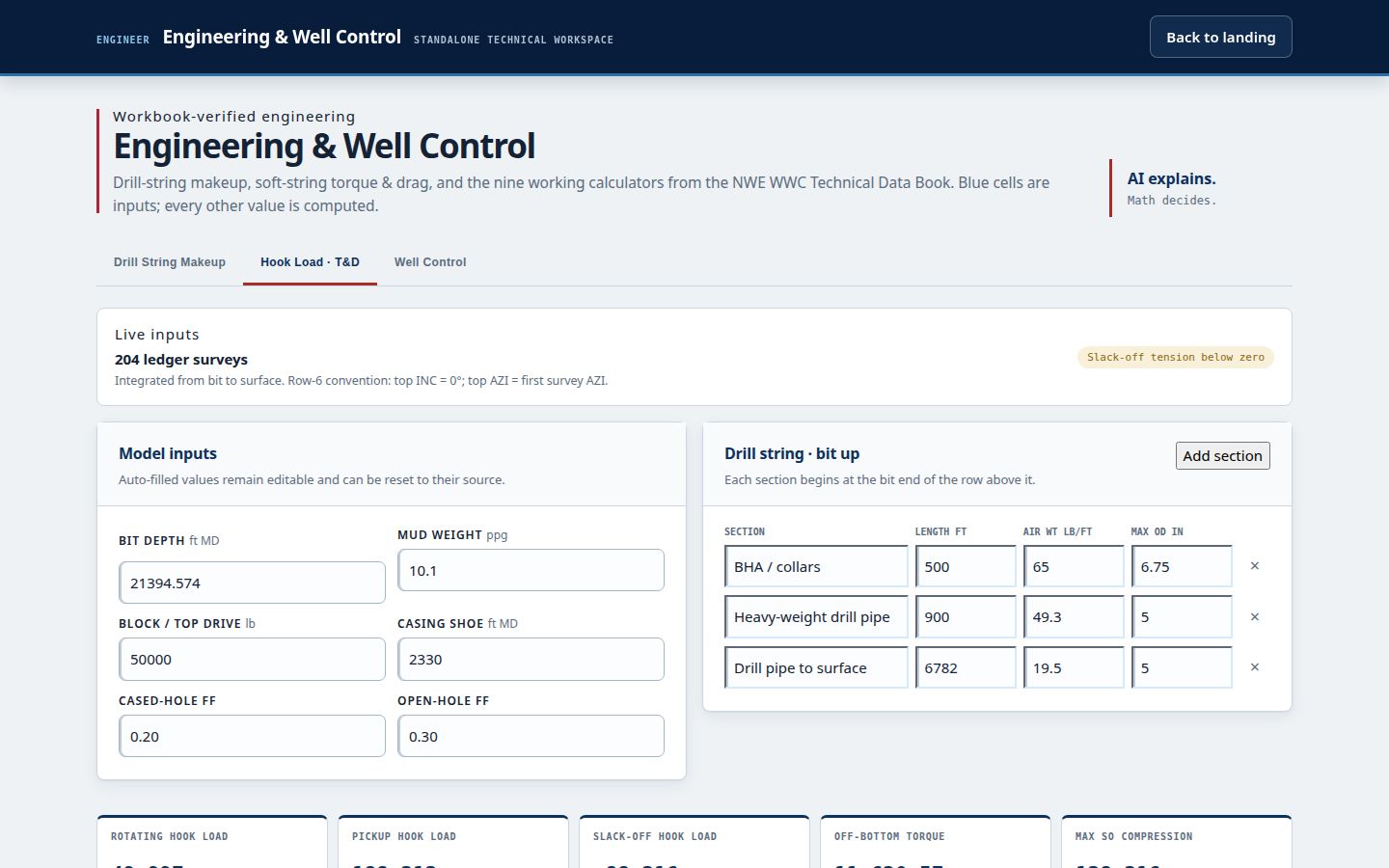
Work through pore pressure, the mud window, rig sizing, well control, trips, and stuck-pipe response with the current well context already in place.
Move directly into completions and coil tubing with depths, capacities, assemblies, and operating context carried forward.
Build the frac design, run frac operations, and keep treatment work connected to the well that came before it.
Monitor production, manage workover activity, and plan P&A without breaking the well's chain of custody.
Every module feeds the capstone record: one authoritative home for the well from first target through final abandonment.
Inside the live platform
AI talks. Math decides.The survey and steering path is deterministic, built from 20 years of field-refined experience and validated number for number. Every remaining module keeps its math visible and is open for field review against your current software.
A stage-based plan builder creates the engineering foundation the entire operation carries forward.
Directional drilling, geosteering, survey QC, BHA performance, daily reporting, and the end-of-well record all work from the same accepted surveys.
Pore pressure, the mud window, rig sizing, well control, completions, coil tubing, frac, production, workover, and P&A all use the same well context. Auto-filled values stay editable, and the field professional always has the last word.
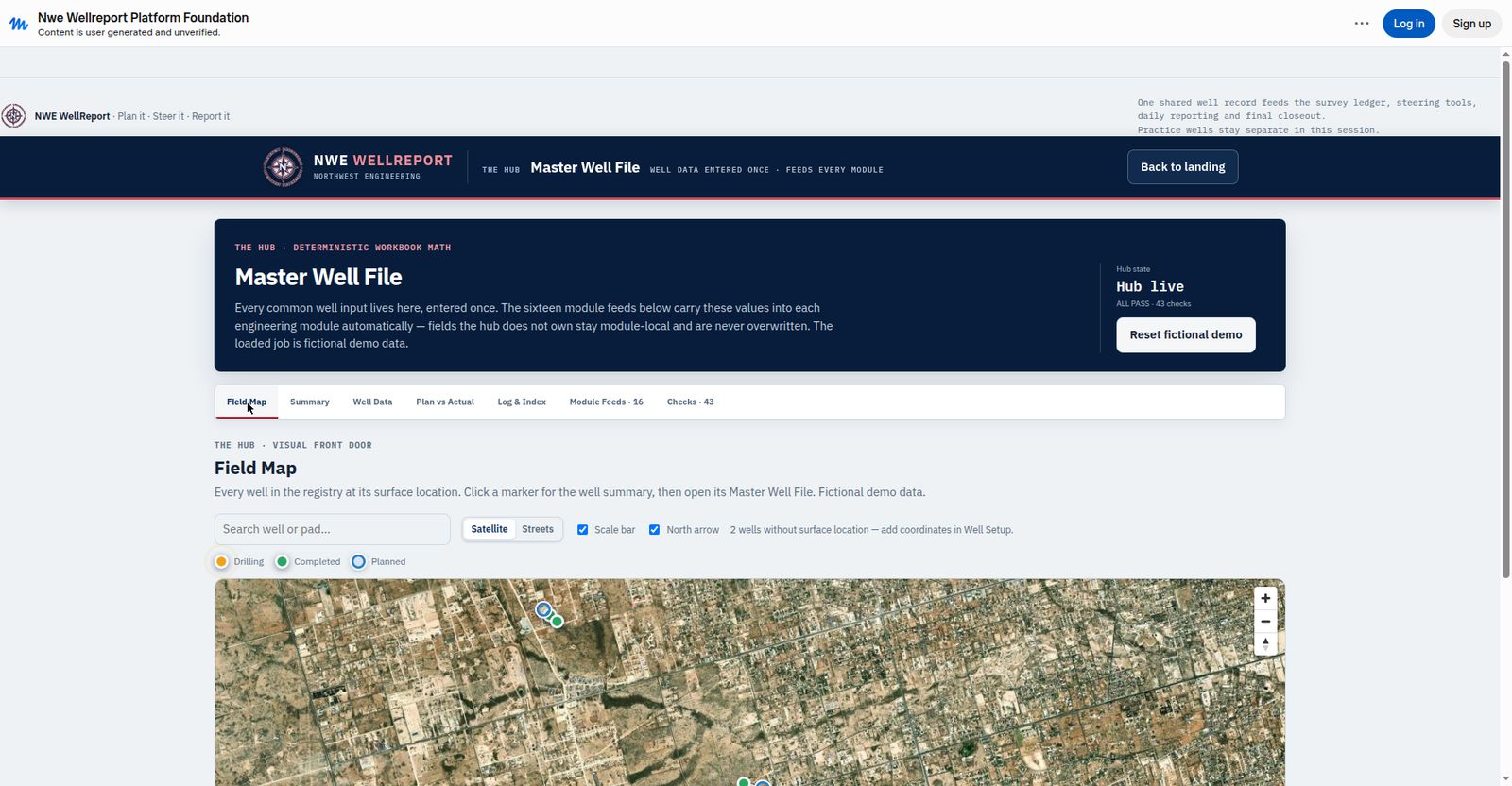
Master Well File · Field Map
The Field Map isn't a picture of your field. It's the front door to everything you know about every well you've ever drilled.
See the entire operation from the air. Start with a field-wide satellite view, with wells color-coded as planned, drilling, or completed. One click opens that well's plans, surveys, daily and morning reports, BHA history, completions, and end-of-well records.
3D well design · U-turn development
Twelve U-turn wells. Four formations. One pad. Watch each well drill down, turn through its target, and extend back beneath the same surface footprint—stacking reservoir contact across the full development.
The complete platform · Live today
Not another point solution. NWE WellReport brings the calculations, field workflows, handoffs, and final well record under one roof.
A working hand sees it immediately: fewer disconnected spreadsheets, fewer repeated entries, fewer numbers drifting between the plan, the surveys, and the report. The breadth is the advantage. Built for a global industry, multi-language support is on the production roadmap: English first, then Spanish, Portuguese, and Arabic.
One accepted survey record drives the call, the performance review, and the report.
The well context is already there. Open the calculation, verify the inputs, and keep moving.
Enter well data once.Every module reads the same well definition, plan, surveys, assemblies, and operating context—then feeds its completed work back into the record.
See the whole job.The plan-versus-actual dashboard, operational history, reports, and exports stay connected from the first target through final P&A.
One well. One chain of custody. The first and only platform built to carry the complete lifecycle from planning to P&A.
NEW — THE MWD WORKSPACE
The MWD side now runs in the same platform. The MWD Workspace — shaped by a working MWD hand's own answers — gives the hand second-check survey QC, a verification hand-off the DD checks himself, depth reconciliation that keeps both records, deliverables released only by the hand, and a signed tour handover. Surveys land in the one shared record. No hand-off files. No second version of the truth.
Real product · Fictional demo data
The actual NWE WellReport app puts the plan, accepted surveys, actual trajectory, targets, offsets, and directional projections into one working view.
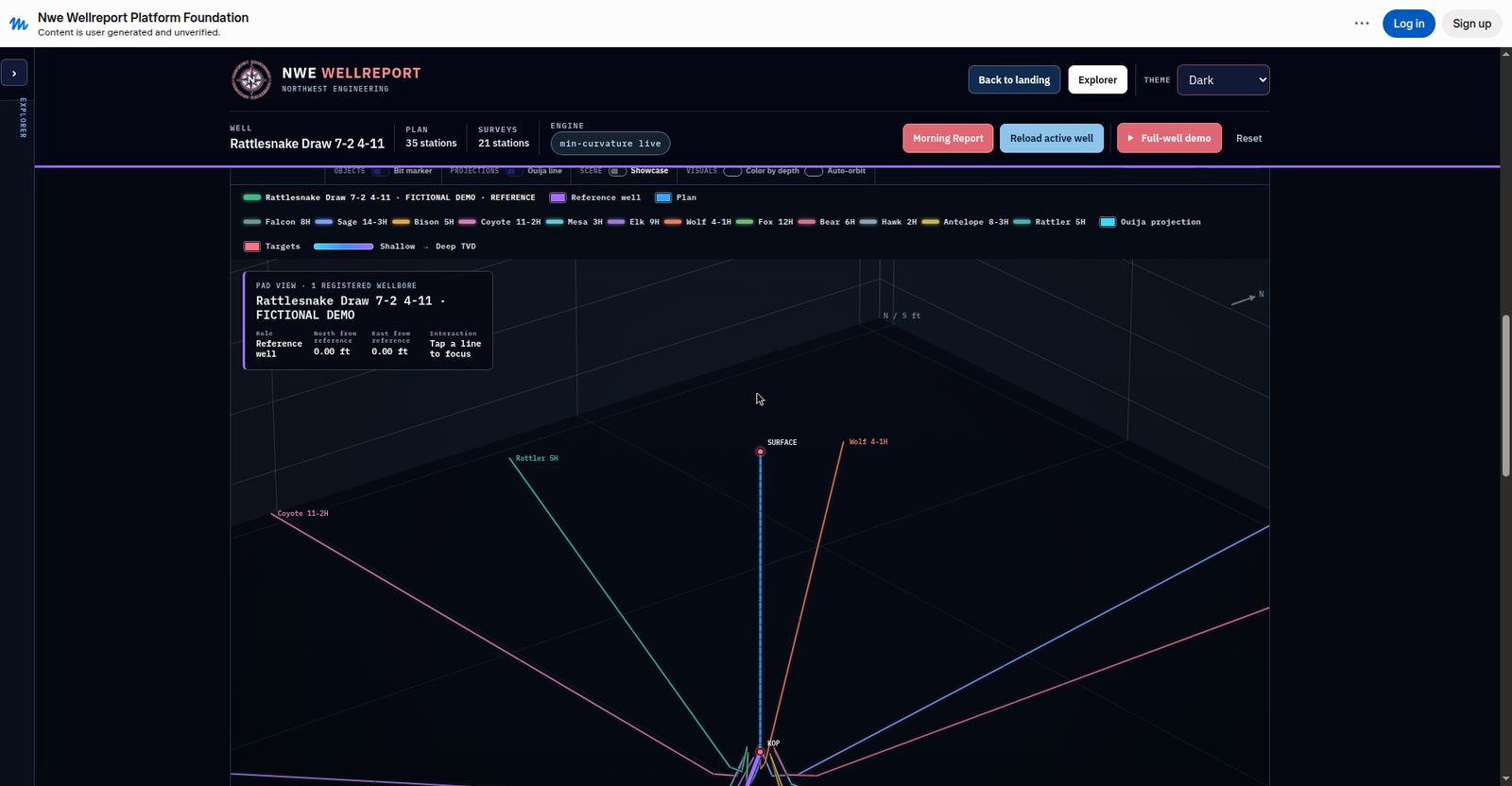
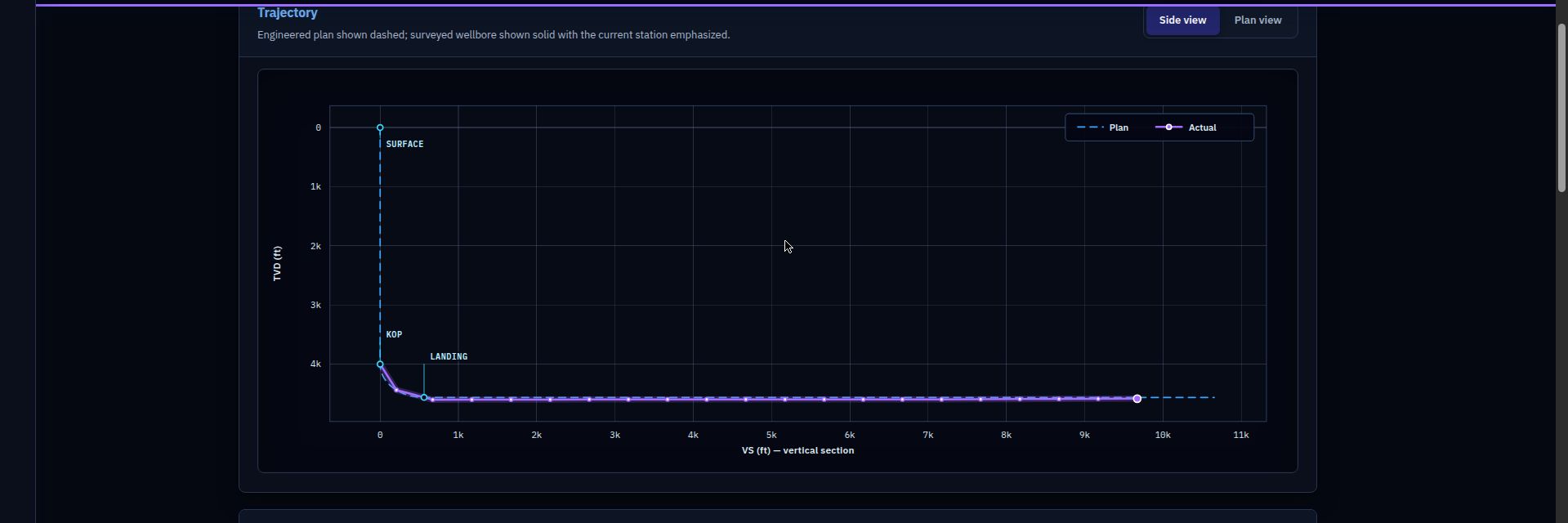
Screens shown from the running product with fictional demo data.
Report
Type only what no system knows.
Hours, footage, summaries, survey files, and report documents come from the run data. The DD adds the judgment: tour notes, the next-tour plan, and final review.
 One well record · every deliverable
How it works
The plan, well setup, assemblies, reporting period, and operating limits establish one shared well definition.
Directional drilling and engineering tools read the same accepted surveys and current well context.
Completions, coil tubing, frac, production, workover, and P&A continue the same record instead of rebuilding it.
The Master Well File preserves plan-versus-actual data, operational history, reports, and final export packages.

The founder
I’ve spent 20 years steering wells. As a directional driller, my day starts long before most people are awake — and for most of those years, the most dreaded part wasn’t the drilling. It was the morning report.
Every morning, 5am. Fill out a Word template. Copy it into an email. Attach the files. Send it to the distribution list before 6. Every single day.
One morning it hit me: that email is our daily billboard. It’s the one thing the whole operation sees from us, every day. And ours looked unprofessional — typos baked into the template, an email that looked like it was built in 1998.
Meanwhile, the tools I’d used for years never respected my time. Same data, retyped into system after system. Surveys in one place, reports in another, costs in a third — none of them talking to each other.
So I started building the thing I wished existed. Two rules, still the rules today: “Type only what no system knows” — the machine writes what the numbers say. And “AI talks, math decides” — AI explains, but never touches a steering decision.
What started as a better morning report became the entire well, beginning to end, all in one platform. One survey ledger feeding everything.
— Scott Roberts, Founder, NWE WellReport
Common questions
Directional drilling software covers the full job: building the well plan, steering the wellbore against it, quality-controlling surveys as they're drilled, managing the engineering and well-control math, and producing the daily drilling report and the 5 AM morning package. NWE WellReport is one platform for that entire lifecycle — plan it, steer it, report it — built by a 20-year directional driller.
Both. NWE WellReport is oil & gas software built from the directional drilling workflow outward. The directional driller's daily work — surveys, steering, BHA records, morning reports — is the core, and the same single well record carries well planning, engineering, daily costs, completions, and the end-of-well package. Oil and gas teams run the whole well in it, not just the directional slice.
The morning report is a retype problem: hours, footage, surveys, BHA details, and costs get copied from three tools into a template. NWE WellReport generates the report from the run data — the activity breakdown, slide and rotation footage, surveys, BHA, and daily revenue all flow into the Daily Drilling Report, the BHA report, and a branded morning email with an automatic subject line. The directional driller types only what no system knows: tour notes, the next tour's plan, and final review. Five-minute mornings.
Yes. You enter only measured depth, inclination, and azimuth — the survey sheet computes the full survey solution. Every survey is checked against QC rules as it's accepted, so projection discrepancies, high dogleg severity, and out-of-tolerance stations are flagged before they steer the well wrong. One accepted survey ledger feeds steering, geosteering, and reporting alike.
Yes. A stage-based well plan builder creates the drilling plan, and the directional modules steer against it from the same survey ledger — so plan-vs-actual trajectory, 3D position, and closest-point miss are always measured from one set of numbers. Our plan solver reproduces reference well plans to within fractions of a foot at every stage boundary.
Yes. Import your survey exports from any system you run — NWE WellReport becomes the single, versioned home for the well's surveys instead of another disconnected file: the cleanest data source for the geosteering, operator, and automation platforms around it. Your current software stays your system of record until NWE WellReport has proven itself on your well.
Founding pilots now open
Bring your current workflow, your survey exports, and your field team. We verify the math against your current software before your team relies on it in the field, train your DDs, review what works, and make anything that does not work right.
Independent verification sweep · October 6, 2026. Every module’s calculations were independently reimplemented from the engineering workbooks and compared number-for-number against the app: tens of thousands of values agreed to approximately 1e-9, and ten findings were fixed.