Home · Oil and Gas Software · BHA Reporting Software

NWE WellReport™ · Directional — BHA

BHA reporting software that closes every run properly.

A well is a sequence of runs, and every run deserves its own record. NWE WellReport's BHA Builder snapshots each assembly, the run record opens when the crew picks up the BHA and closes when they lay it down — and at the end of every run, the platform generates two reports: a BHA Report and a Motor Report, from the data the run already produced.

The BHA problem

Run history gets rebuilt at the end of the well — from memory.

Ask at total depth what the third BHA was, why it came out, and how the motor ran — and watch the archaeology begin.

On most jobs the assembly details live in a spreadsheet, the run story lives in the daily reports, and the motor's story lives in somebody's notebook. The end-of-well BHA history is assembled weeks later by whoever can still remember, and the details that billing, failure analysis, and the next well's planning depend on are the first ones lost.

NWE WellReport keeps the run record as the run happens. The assembly is snapshotted when the BHA is built, every survey is assigned to the BHA that was in the hole when it was drilled, and the run's two reports generate from that record the moment the run closes.

BHA Builder + run records

The assembly, the run, the reports — one record.

A pickup puts the run in a “BHA data needed” state.That is deliberate: a new run cannot quietly inherit the last assembly's numbers. Until the new assembly is snapshotted, the run asks for its data — and from that pickup forward, the new assembly's sensor-to-bit and motor data govern every survey point in the run.

01 / BHA BUILDER

Assemblies, snapshotted at pickup.

BHA Builder holds the saved assemblies and snapshots the one that goes in the hole: bit, motor, and the full component line, with the sensor-to-bit and motor measurements that every later calculation depends on. The Object Explorer carries a BHA level in its tree, tying each BHA to its own surveys instead of one flat wellbore-level list.

  • Saved BHA assemblies
  • Assembly snapshot per run
  • BHA level in the Object Explorer
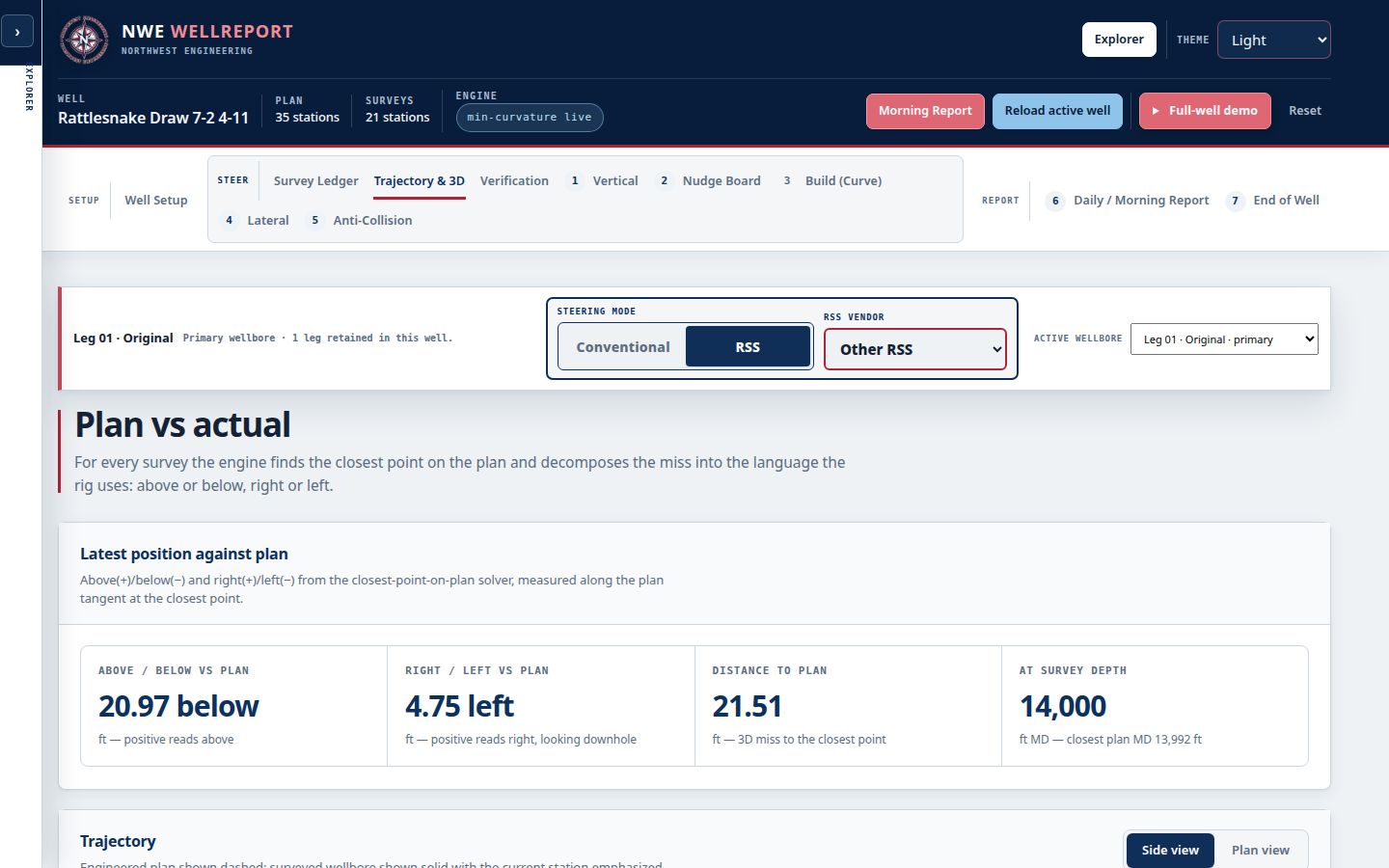
Live NWE WellReport Directional Drilling workspace with BHA and survey data on one record
02 / THE RUN RECORD

Pick up BHA opens it. Lay down BHA closes it.

Runs are bounded by the time breakdown itself: the “Pick up BHA” entry opens the run record and “Lay down BHA” closes it, capturing section, depth in and out, hours, footage, and reason out. At close, the run generates its two reports — the BHA Report for the assembly and run, and the Motor Report for the motor — as separate documents, the way the field actually files them. Tool inventory rides on the same record, tracking the details our founding testers asked for.

  • Per-run BHA Report and Motor Report
  • Depth, hours, footage, reason out
  • Tool inventory on the record
Live NWE WellReport workspace showing the well record that carries every run

The run workflow

Build. Pick up. Run. Lay down.

01

Build the assembly.

Compose the BHA in BHA Builder from the tool inventory — bit, motor, and components — and save it.

02

Pick up BHA.

The time breakdown entry opens the run and snapshots the assembly; its data governs the run's surveys.

03

Run it.

Surveys are assigned to the BHA in the hole as they are accepted; hours and footage accrue to the run.

04

Lay down BHA.

The entry closes the run and the BHA Report and Motor Report generate — ready for the morning package and the end-of-well roll-up.

Deliverables

Every run, two reports.

A BHA Report and a Motor Report, at every run's end.

Because the run record was kept while the run happened, its reports are generated — never reconstructed — and they roll directly into the end-of-well run history.

  • BHA Report per run
  • Motor Report per run
  • Run record — depth, hours, footage
  • Reason pulled, on the record
  • Assembly snapshot
  • Tool inventory
  • BHA-level survey assignment
  • End-of-well run history roll-up
Every run · its own record

Where it stands

In founding field testing now.

Working directional drillers are testing it today.Per-run BHA and Motor reports are part of the platform testers run on the demo well, and tool inventory carries the six fields our founding testers asked for. The run model — pick up to lay down, two reports per run — came straight from how the work is actually filed in the field. Founding tester seats are open until October 25.

Honest about the record.A run record is only as good as its entries: the platform keeps the snapshot, the assignment, and the math, but the crew's entries are the source — every value stays visible and overridable by the professional who owns it, with the automatic value one click away.

Common questions

Questions, answered straight.

What is BHA reporting software?

BHA reporting software records each bottom hole assembly and its run — the assembly that went in the hole, the depths, hours, and footage it drilled, and why it came out — and produces the run's reports. In NWE WellReport, BHA Builder snapshots the assembly, the run record is bounded by the Pick up BHA and Lay down BHA entries, and each run closes with a BHA Report and a Motor Report generated from the record.

How are BHA runs defined?

By the work itself. A run opens when the time breakdown records “Pick up BHA” and closes at “Lay down BHA.” A hole section can carry several runs, and each run keeps its own assembly snapshot, depth in and out, hours, footage, and reason out — so the well's run history is a set of complete records, not a narrative rebuilt later.

What is the difference between the BHA Report and the Motor Report?

They are two separate documents because the field files them separately. The BHA Report covers the assembly and its run — components, depths, hours, footage, and performance. The Motor Report covers the motor's own line and run. Both generate from the same run record at the moment the run closes, and both roll up into the end-of-well package.

Does a new BHA change how earlier surveys calculate?

No. Each survey belongs to the BHA that was in the hole when it was drilled, and that assembly's sensor-to-bit and motor data govern its points. When a new BHA is picked up, its snapshot governs from that pickup forward — earlier runs keep their own data, exactly as drilled.

Does tool inventory live in the same place?

Yes. Tool inventory rides on the same record as BHA Builder, tracking the tools on location with the fields working directional drillers asked us for — so the assembly you build is composed of tools the record actually shows on location, and the morning report's motors-on-location line reads the same data.

Founding pilots now open

Put it on real wells.

Bring your current workflow, your survey exports, and your field team. We verify the math against your current software before your team relies on it in the field, train your DDs, review what works, and make anything that does not work right.

$5,000First year · up to 5 wellsTalk to us about a pilotExplore the live platform